9 AI TOOLS You Must Know In 2024 — Silicon Valley Girl Podcast
Entrepreneur, content creator, and founder based in Silicon Valley. Marina interviews the world's top tech leaders, investors, and innovators to uncover the trends, strategies, and mindsets shaping the future. With millions of followers across platforms, she brings a unique perspective on technology, business, and personal growth.
Marina Mogilko: You're not going to be replaced by AI. You're going to be replaced by people using AI. So today's video is to elevate your stack, to get you acquainted with the top apps on the market so you can become a better professional. A better professional with an AI stack means being able to take on a lot more clients, being able to work less hours, and being able to spend more time with loved ones.
As I keep testing new AI apps, I've built up a collection of awesome tools that save me thousands of dollars and hours every month and help other people become more creative and more competitive on the market. One of the tools I'm going to share with you today is something I actually built for myself, but a lot of people started using it and I'm really happy about it. It's been a total game changer for me. You can already try it for free, but let's go step by step. Here are 10 AI apps you need to try this fall.
I want to kick off this video with a tool I've personally been waiting for because it solves a huge problem for all content creators: finding and selecting b-roll for your videos, but also just creating videos in general. You know, we've all seen Sora and all those apps and we've been waiting for them to arrive. Now basically AI does everything for you, and the quality of the b-roll is seriously impressive. The tool is called Neid. Neid V3 helps you create full-length videos using generative media with just text prompts. We're going to try it right away. I'm going to show you what it comes up with. These videos can be anything from a story to a product ad to a promo video, and even educational and infotainment content.
What I love most about Neid V3 is that it doesn't just generate individual clips or assets—it creates a complete, ready-to-publish video, which I'm going to show you. You won't need to hire an editor or spend hours piecing clips together. Let's try something. I'm in the video, I have this beautiful prompt: drone view of waves crashing. Let me generate a video. It's going to take maybe a couple minutes.
All right, it's here. Let's watch.
a special guest: Am I the only one who didn't know Big Sur, Gari Point Beach is this breathtaking? The dramatic cliffs that plunge into the turquoise Pacific, waves crashing with white-capped fury against the rugged shoreline. The golden light of the setting sun casts an ethereal glow. The whole scene looks like a painting. And there in the distance...
Marina Mogilko: So this is basically b-roll, but you can also create the whole video. Let me make a long video about the 10 most incredible wonders of India and their history.
a special guest: From the snowcapped Himalayas to the sundrenched beaches, India is a land of extraordinary contrasts. Join me as we uncover 10 of the most incredible wonders this land has to offer. This is India in all its glory.
Marina Mogilko: If you want to change anything, just ask the AI. Oh my God, oh my God. And I can even clone my voice to use it to narrate, which makes the entire video creation process fully automated. This amazing feature is rolling out in the next couple weeks and will be available to everyone. In the current version, creating videos has never been easier, and it's just mind-blowing.
Okay, after we've been blown away by this, my app will be a little less impressive, but I still want to show it to you. So basically, my problem is I create a lot of content. I have my Telegram channel in Russian, I have emails in English, I have three YouTube channels, I have two Instagrams, I have LinkedIn. I tried hiring people to help me with text posts because I already create videos. Why don't you just take them and create posts? The thing is, they're not too good. Even if it's a human process, the text—oh my God, I'm saying this—yes, it's not AI, it's by a human. Still not good. It's still not as good as I could do it.
So I started, of course, using ChatGPT to do voice to text, but the problem is it creates nice text, but they're not the best for social media. So what we did—we created a Telegram bot. I like using Telegram. This is the app my whole team uses. So we created a Telegram bot that uses ChatGPT 4.0. We fed it with 100 sentences that are the best for starting an email or a LinkedIn post. We fed it with the best texts, we fed it with the right layouts, and basically you dictate whatever you want and it creates beautiful text for your social media.
Let me quickly show you how it works. It's called Ghost Rider, and you'll see some text in Russian because it's in Russian and in English because I speak two languages. I need everything in two languages now. Let me start.
My daughter just started school in California, and I was just blown away by the bad quality of school lunches. They are served low-fat milk. Why would you serve low-fat milk to a kid? It's basically sugar with no nutrients. They have waffles, they have muffins full of sugar, they have non-organic chicken fries. When I see that lunch, I try to feed her as healthy as possible, but if I put something healthy in her lunchbox and then she sees those lunches with Cheetos or whatever they're giving them, of course she eats that.
So I was in the market looking for healthy snacks, and I found there is a gap. So I'm currently researching a business idea that I might work on, but I also started investing in healthy startups. I've recently invested in Keish, which makes popcorn with just organic popcorn, ghee, and salt. Let's see what happens.
I uploaded the voice text. It's working on it. There we go. The shocking reality of school lunches. My daughter Emily just started. Beautiful. And also, what I can do—if I just don't like the plain text and see how short it is, how nice it is for a social media post, like a short email or a Telegram post or a LinkedIn post—I can also add emoji. There's this button. See? It transforms it into something even more readable. Why low-fat milk, sugary waffles and muffins, searching for healthy alternatives, recent investment. The only thing it didn't get—but I think I mispronounced it—is Keish. That's it. I just copy and paste and there we go.
So you get three texts for free, and then it's $5.99 a month. You get unlimited texts with your subscription. Yeah, it's available on Telegram only. For me, honestly, it's been a game changer because the thing with texts—if you're a creator and you need to create a text and you're in the middle of doing something, like you're at Costco shopping, you can't just stop and create a text. You have this idea, you go back home, and maybe by the time you're home you have other things to do, so you just lose the idea. People feel the emotion even if they're just reading your text. Once I started using my Ghost Rider app, I just see how much more engaged people are, and it's so much better than a copywriter because it's cheaper and faster. It writes lively, engaging texts that maintain your unique tone of voice, and it does it instantly.
So if you use Telegram, if you write posts for a lot of social media platforms, let me know what you think about this app.
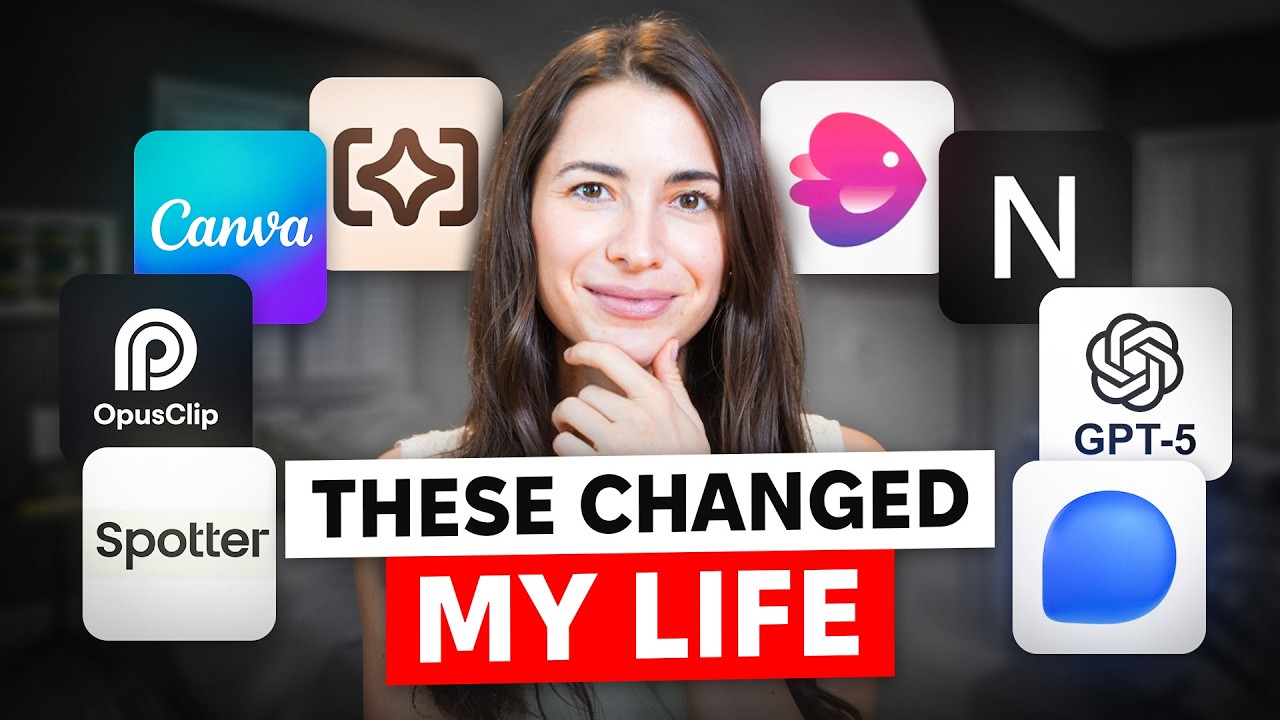
Okay, the next tool is going to blow your mind away. It's called Notebook LM. It's Google's new feature that lets you interact with your documents. You can instantly turn documents, slides, charts, and more into engaging podcast-style discussions with just one click. These conversations are so entertaining and sometimes a little weird that the feature has recently gone viral. You can use it as intended to narrate documents for convenience, or you can get creative with it.
So what I did—I took Notebook LM, I uploaded my script for shorts. I've been doing a lot of British versus American English shorts for my Lingua Marina channel. And so basically, it created a summary of all of my scripts. You can interact with documents, you can ask questions. Remember I showed you ChatPDF? It did something similar, but here you can do deep-dive conversations with two hosts. Let's generate a conversation about British versus American English.
a special guest: Are you ready to dive into some seriously quirky British versus American English? Let's do it. Preparing for this deep dive with you. Well, it brought back a hilarious memory for me. You know when I was in London, I tried ordering chips thinking I was going to get like a big old plate of French fries? No, I can imagine the look on that waiter's face. Priceless. And then he brought over this plate piled high with what else but thick potato wedges. It was a humbling moment for sure. Yeah, the chip thing—it's like a right of passage for us Americans. It just goes to show, even when we think we're speaking the same language, those subtle differences can really trip us up. Honestly, it was too good to be true.
Marina Mogilko: So basically, what you can do now—if you have something that you need to read and you just can't read because you're always on the go—you feed it to Notebook LM and it creates this beautiful podcast for you. They're diving deep into topics.
Okay, let's move on. The next tool is called Spotter Studio, and it is another game-changing assistant for content creators, this time for my fellow YouTubers. If you've got your own channel, you know the struggle of coming up with ideas that not only hit trending topics but also align with your channel's niche, resonate with your audience, and match your own interests and expertise, all while having viral potential. For me, it's a constant challenge, but I found a tool that's made the process a lot easier for me and my team. It's called Spotter Studio. Shout out to Paul B House, my friend who actually built it. I've been testing it for a while, but it's basically like having an AI producer. It analyzes your past content, channels you're looking up to, and helps with brainstorming, research, and project planning for your videos.
Let me show you what it does. Here's my Lingua Marina channel. I already added channels that I personally like who teach English. So what we're going to do is brainstorm titles based on related outliers versus more outliers because I want to be more... 30-minute pronunciation tips. I like it. Let's continue. Oh, actually, let's keep this topic and then thumbnails. Let's generate a thumbnail. I already see it. I actually gave it a couple of my photos, so it kind of looks like me. But she basically helps you brainstorm thumbnail ideas. I like this one when she sits at the desk, but I actually want more variations. Oh, I love it. Speak flawlessly. Native secrets. Speak like a pro. Okay, that's cool. And now let's brainstorm a concept, and it basically writes an outline of a video for me.
So if you're creating YouTube videos, you've got to give it a try. While it won't replace your creativity yet, it will help you brainstorm fresh ideas and save you hours of manual research.
Okay, let's talk about the new ChatGPT 4.0, and I'll tell you how I recently used it. Honestly, it's so amazing. I was signing a contract with a team who I'm co-founding with, and I was like, I don't have time for a lawyer to look at the draft. I just want some quick feedback. So I told ChatGPT, "Okay, imagine you're my lawyer. I'm a creator, and you have to have my best interests in mind. Look at this agreement and come up with things that should be improved." And it just highlighted all the things that need to be replaced or changed, and they're so straight to the point. They're not some legal jargon—it's like, "Marina, make sure you write down their responsibilities. Marina, you need to take care of this and that." And I was like, "Okay, I actually agree with most of these things. Can you just write those passages for me so I can insert them into the agreement?" And it did that. It's just fascinating.
Try the new version if you haven't yet. I've been using it for my Ghost Rider bot, and I also got a personal subscription for ChatGPT 4.0 because it's next level. The second way I'm using ChatGPT right now is for generating content ideas. So the way I use it is this: I take a viral reel, I copy the comments, and I paste the comments to Chad and say, "Hey, these are the comments on a reel that went viral. Obviously, my audience loved it. Figure out what triggered them in this video. Why did they watch it until the end?" It suggests 10 topics for viral videos that could work for me. I also give a quick background on me—like, Lingua Marina is my Instagram profile. I like to talk about Silicon Valley, innovation, American lifestyle as an immigrant, and kids, of course. Not all 10 will be brilliant, but two or three of them usually end up being solid ideas with real viral potential.
The next one—I've been waiting for it, by the way. As I mentioned, I use Telegram to interact with my team, I use WhatsApp for some groups and courses I'm taking, of course I have iMessage, of course I have LinkedIn, and of course I'm on Discord. I'm everywhere. The problem is switching between those apps and also just forgetting to answer. That's my problem. I see the text, but because I'm working on something else, I just don't answer.
So basically, there's a solution for you now. It's called Text.com. It's a great find for anyone who's tired of juggling multiple messaging apps. So if you're looking to combine all of your conversations from WhatsApp, iMessage, Telegram, Signal, Slack, and other popular platforms in one place, the Text app is just perfect for you. No more hunting through different apps to find where you last texted a client or colleague. Everything is neatly organized in one spot. Plus, of course it has to be AI because we're making a video about AI. The built-in AI can help you summarize messages and even translate them intelligently into other languages. It's super convenient and solves the problem of lost messages and the constant back and forth between messengers.
Another app—also something I've been waiting for, honestly. I've been expecting this from Google, but there is an app called Humata, which helps you manage your files and documents. Let me show you what it looks like. You upload all your files into the app, the AI reads and analyzes all the text, and then you get an intelligent assistant that thoroughly understands your documents.
For me, I have so many companies, and now I have a file with all the EINs, but I always have investors asking questions like, "What does your cap table look like? Who are the shareholders? Can you send me this doc?" It's constantly searching through the docs on your computer. If you upload them to Humata, you can ask Humata to not only extract information but also create reports based on the documents you've uploaded. Maybe it's an agreement to buy a car, maybe it's your mortgage agreement. You can find anything. Humata makes it easy to reference information without having to keep it all in your head or waste time searching for the right sentence in a long PDF.
So if you're like me with a lot of files from different companies and a lot of ideas, Humata is going to take your productivity to the next level.
Canva AI. Canva is one of my all-time favorite tools. It has made designs so simple and easy that it's completely replaced all the other apps a lot of people use for creating images, brochures, video thumbnails, and more. But they're always adding new features, and they recently integrated AI into the platform, which is perfect for generating images from text prompts. If you can't find the right image or illustration in stock, you can easily create it yourself in seconds right within Canva. No more switching to other services or paying for extra subscriptions.
So if you're looking for an easy-to-use design tool and already use Canva, definitely check out their AI image generator. You'll love it.
And the last tool that I'm using every other day is called Opus Clip, and it helps us create short videos from long-form videos. When we first started using Opus Clip, it could only identify catchy snippets and cut them into vertical formats. But now with all the updates, it's evolved into a full creator hub. Opus Clip not only extracts viral-worthy fragments from long videos but also adjusts clips for various aspect ratios, detects speakers and moving objects for optimal presentation, and pulls highlights from different parts of your video, rearranging them into cohesive viral shorts.
It even automatically adds accurate animated captions and inserts contextually relevant b-roll. You can choose between royalty-free stock footage or AI-generated visuals for abstract concepts. That's not even all the new features. Basically, what I see is Opus Clip is quickly becoming a professional-level video editor.
Okay, I know this is mind-blowing. That's it for today. I have more apps, but we'll talk about them in the next video.