Win the AI Race in 2025 with These 9 Game-Changing Tools — Silicon Valley Girl Podcast
Entrepreneur, content creator, and founder based in Silicon Valley. Marina interviews the world's top tech leaders, investors, and innovators to uncover the trends, strategies, and mindsets shaping the future. With millions of followers across platforms, she brings a unique perspective on technology, business, and personal growth.
Marina Mogilko: I just came back from Google IO and what I saw there blew my mind. If you've been watching my channel for quite a while, you know that my team and I just started adopting a lot of AI tools because everything is moving at such a fast pace. We're not just tweaking workflows anymore. We're witnessing complete transformation in how we live, work, and create.
I was able to experience Google Beam where you talk to someone in 3D and it just blew my mind away. It's like it's crazy what's happening. But AI is not a threat. It's the greatest opportunity of our generation. In this video, I'll show you how my team and I use AI every day to save time, money, and honestly, our sanity. Whether it's content, sales, or building a business—from automating LinkedIn posts to generating viral video clips and even hiring team members—AI helps us do more with less.
I saw Sergey Brin talking at that conference and he said, "We've never experienced such a transformation and I feel like it's creating so many opportunities for all of us." Especially if you're watching this video, it means that you're really interested in what's going on. So I'll share not just tools, but actual use cases, what works, what's overhyped, and how you can start right now, even if you're a solo founder or content creator.
Honestly, I feel like 2025 is actually the best year to start as a solo founder or creator because you have so many AI tools that are waiting for you to start using them. But first, here's why this moment matters. At Google IO, the message was clear. AI is now multimodal. It understands voice, images, code, and text in one conversation. It's not just reactive. It became proactive, personal, and powerful. They're talking about features where you're talking to AI using your camera and it already sees that you're not liking the answer, so it changes the answer on the go. Like, it's crazy what's happening.
It's no longer about writing prompts. It's about tool calls like send this email, schedule that call, summarize this meeting. Google calls it this AI. It just doesn't answer, it acts. And the best part—we're still very early. The people who start building and experimenting now, they'll have a massive head start.
One of my friends started a company last year and I remember a few months ago he was complaining it wasn't working. Today he sends me the screenshot. You see the hockey stick? So last month they had 170,000 customers. This month they have over 600,000 customers. And it's been a year. Like it's crazy how fast you can grow in 2025.
So let me show you nine tools we actually use across our content team, sales, and operations. These are not hypotheticals or future ideas. These are real tools and real results.
First of all, my team actually loves Monica and we love Monica, my manager, but we also love Monica as an AI and we use Monica together with custom GPT agents. Monica is a Chrome extension that works everywhere—Gmail, LinkedIn, Notion—to summarize pages, rewrite replies, and even draft documents. For bigger tasks, we train custom GPTs. ChatGPT has a memory where you can load all of the information about you, your products, your tone of voice. I've added all my measurements. I've added my astrological forecast just in case, you know, sometimes I have a bad day and I ask ChatGPT, "Is it me or is it the stars?" and it says, "Oh Marina, the stars. Relax." So ChatGPT knows everything about me and this way it's able to make a lot of things personalized.
One GPT is literally called "What would Marina say" so my team can write in my tone without waiting for me to reply. AI isn't just smart; it's personalized. The use cases here are quick contract reviews, customer emails, posts on different social media platforms.
Tool number two is ChatPDF plus ChatGPT for contracts and hiring. Contracts, PDFs, legal docs used to pile up and we used to work with a lot of different professionals. Now we upload them to ChatPDF and ask ChatGPT to highlight red flags, rewrite clauses, or just summarize things. It's like having a lawyer on Slack without the hourly rate. I also use voice notes to explain what I want in a reply and AI drops the perfect partner email. The result is that our hiring process is now 5x faster with better consistency.
Tool number three is Opus Clip plus Gamma plus EasyGen. At Google IO, I heard something that I'm taking away as a creator. Content is now infinitely remixable. What it means is you create one podcast or one video and you can use different tools to create different types of content from that one video. For example, if I release a podcast, I can make 10 different shorter videos and post them on YouTube. I can make short clips. I can make stories on Instagram. I can create a carousel for LinkedIn. I can create an X thread. There are so many things we can do with just one idea or one podcast. Why not utilize that? Especially when everyone around you is using AI to create content—the game today is basically to flood every social media with your content because we need six touches with our audience and we need to promote the content that we've put work into. It's now easier to create different pieces of content to promote what you're doing.
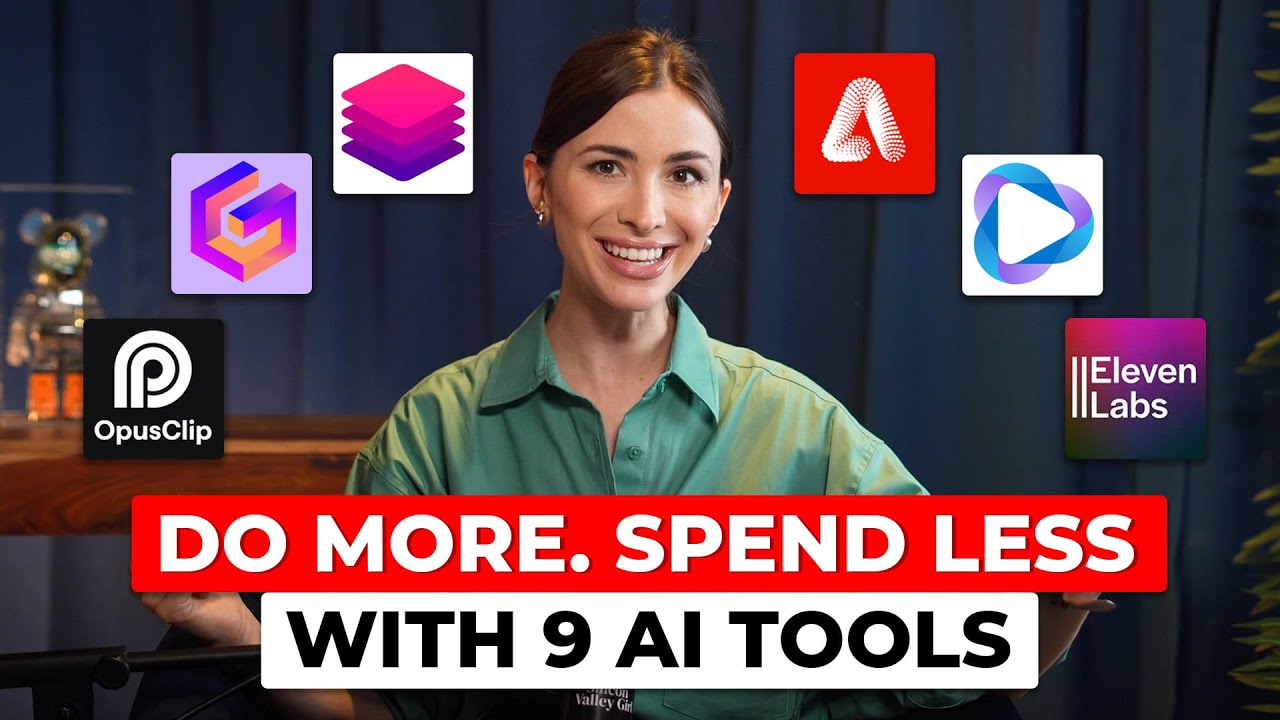
We use Opus Clip to turn one long-form video into 10 short ones for Instagram, TikTok, and LinkedIn. Gamma helps us design beautiful presentations and visuals. These are great not only for decks and course materials, but also for video explainers when you're trying to teach people something and you need some visual materials. Instead of adding them in post-production, we actually create a script in Gamma and have the slides ready, which makes editing so much easier. EasyGen or Claude AI helps generate high-performing hooks and posts on LinkedIn. Our copywriter Sofia swears by them. LinkedIn has been growing like crazy. Guys, if you're watching this video and you're willing to start on social media, I highly recommend LinkedIn. The community is so nice because everyone is using their real name. The comments are just so nice. Anyway, the use case here is that our copywriter created a 10K views post in 15 minutes using EasyGen.
Tool number four is Otter or Copilot for team sync plus feedback loops. A couple years ago, we would just write down everything we discussed on a call. Now, action items are generated automatically. Copilot transcribes syncs, analyzes sentiment, and suggests follow-ups. This ties back to what Google IO emphasized—AI is an agent, not just a tool. It listens, it learns, and it helps you grow. The thing is, we no longer have any dropped ideas. We always know what we discussed and what's next. Also, if somebody wasn't present on a call, they have the whole thing for them.
Another thing that I love doing, and I also tried that at Google IO, you can use Copilot, you can use Otter, whatever. I record everything with my Apple Watch or you can use Plaude, which is like a necklace that you can use. I also have it. It's super cool. You record a talk during a conference and then you send it to Otter and then you create posts.
Another thing I found out I could do with AI is that when you go to conferences, the best part happens when you're talking to people in the corridors. I actually met somebody who follows my channel and I asked him to take my Apple Watch. He was in the front row, and he was sitting with my Apple Watch recording a talk that I wanted to hear. Meanwhile, I was chatting with people in the corridor. Then I took back my Apple Watch and had everything recorded. I transferred this voice note to Otter, made text out of it, then I copied the text into my ChatGPT which created a post for LinkedIn. It was a talk about growing on LinkedIn and got almost 6,000 impressions. I think it's really good for LinkedIn.
Tool number five is Trent, 11 Labs, and HeyGen. This is our go-to step for content localization and multimedia production. Trent transcribes video or audio files, but it's more than just a transcript. You can highlight and cut. The editors could work directly inside the interface. It's like editing a document and a video at the same time. 11 Labs lets us clone my voice into Russian or English. Sometimes when I'm recording something and we need an intro and I'm traveling, they will just use 11 Labs to do that. Sometimes we do voiceovers—like I would record an interview on Silicon Valley Girl and I have my Russian channel and we really want to post that one in Russian as well. So we just use 11 Labs to do the voiceovers. We used to pay hundreds of dollars to voice actors. Now it's just so much cheaper to do it with 11 Labs and it sounds very natural. It allows us to scale voiceovers quickly and add emotion, and it's really easy if 11 Labs mispronounces something.
HeyGen is the final step. We use it to generate dubbed or translated videos. It handles lip sync, subtitles, and even creates avatars if needed. We used this exact stack to dub our interview with Reed Hoffman into Russian. The result—same quality, native language, 10x faster turnaround, and almost 200,000 views in another language, which is amazing.
Tool number six is Gong.io or Chorus.ai plus Tableau or PowerBI. Let's shift into sales and performance. Chorus.ai and Gong.io analyze sales calls and client conversations in real time. They detect tone, keywords, and even sentiment and generate feedback on what to improve. Some even update your CRM automatically with insights from the call. For reporting and dashboards, we integrate Tableau or PowerBI with our CRM. This lets us track results, visualize trends, and get real-time data with almost no manual work. Our sales team uses Gong to understand why deals close or don't and Tableau to report weekly outcomes across the team without touching any spreadsheets.
Tool number seven is Gemini for Google Sheets. Oh my god, Gemini is so powerful. If you work in spreadsheets—and who doesn't?—try this. Gemini for Sheets lets us summarize form responses, which is especially great if you're hiring. We can analyze data and even generate formulas right inside Google Sheets. Our team uses it to sort student feedback, summarize onboarding notes, and even create images with Imagen. It's like having a data analyst inside every tab.
Tool number eight is Adobe Firefly plus AI and Photoshop. Our thumbnail designer absolutely loves this. Our designer Marina now does in minutes what used to take hours. Background removal, color matching, adding visual flare—all automated with AI in Adobe Photoshop and Firefly. She even uses ChatGPT to brainstorm visual styles. AI doesn't replace creativity. It removes the friction. Especially now that we're trying to make at least 20 thumbnails for every video, it's just so easy to dress me up in different clothes, replace backgrounds, and put an airplane behind me. It lets us become so creative. I just love it and it saves a lot of time. Marina has been with us for I think five years and it's just amazing to see her progress with AI.
Then of course, Google Notebook LM, the viral tool that lets you create a podcast out of any document, plus Veo and Google Meet. These are the last tools that I wanted to recommend in this video, and they're very futuristic and a little mind-blowing. They were just introduced at Google IO.
Notebook LM—you probably heard of it—it's the podcast revolution. This is Google's viral feature that turns your documents, slides, and notes into a podcast-style conversation. You can ask it questions, get summaries, or even generate full dialogues from your content. I genuinely believe this is the future of podcasting. Fully scripted, interactive, and generated from your own content. Perfect if you're short on time and always on the go. This feature has already been around for a while. I just wanted to let you know that you need to start using it if you're creating content. It's crazy. Like, the podcasts that people make—learn English with this English conversation—they get hundreds of thousands of views and they're 100% AI. My videos that I create in my studio and we edit, they get 30,000 views. I'm just complaining here. I'm just so upset. Anyway, some of them get 30,000, some of them get a million views, but still I'm like, I'm very jealous.
We're launching a lot of AI channels within what I'm doing because we have to compete with ourselves in order to not get replaced by AI. Anyway, Veo—audio meets video. The standout announcement from Google IO 2025. Veo breaks new ground as the first AI video generator to deliver synchronized audio alongside visual content. This isn't just background music. We're talking about realistic speech, environmental sounds like traffic noise or bird song, and the actual dialogues between characters. Currently available only to US users with Gemini Ultra subscription. This represents a significant leap forward in AI-generated media.
But just try using Veo without sound. What you see here is an AI video that I generated. I have this passion for airplanes and the underwater world. I love snorkeling and seeing amazing creatures underwater. And I decided to just make them meet in a video. Veo made this in 15 seconds. It's beautiful. When I saw this update and recorded my emotions when I was actually witnessing Sundar Pichai presenting it, that video got millions of views everywhere.
Google Meet is now breaking language barriers. They basically announced a new real-time speech translation feature. Again, it is available to Google AI Pro and Ultra subscribers, but it basically translates between English and Spanish during live calls with additional languages on the horizon. It's so seamless and so good for global teams and multilingual creators. This eliminates one of the most persistent barriers to effective collaboration. Imagine having someone from Japan, Russia, the United States, and Egypt on the same team speaking different languages and just understanding everyone. This is our future.
And this whole video is not about using AI to save time. It does save time, but it's about creating space to think, build, and move. As many people at Google said, we're still early. You don't need to wait. You just need to start.