Build a Self-Running AI Company in 16 Minutes (Move 75% Faster) — Silicon Valley Girl Podcast
Entrepreneur, content creator, and founder based in Silicon Valley. Marina interviews the world's top tech leaders, investors, and innovators to uncover the trends, strategies, and mindsets shaping the future. With millions of followers across platforms, she brings a unique perspective on technology, business, and personal growth.
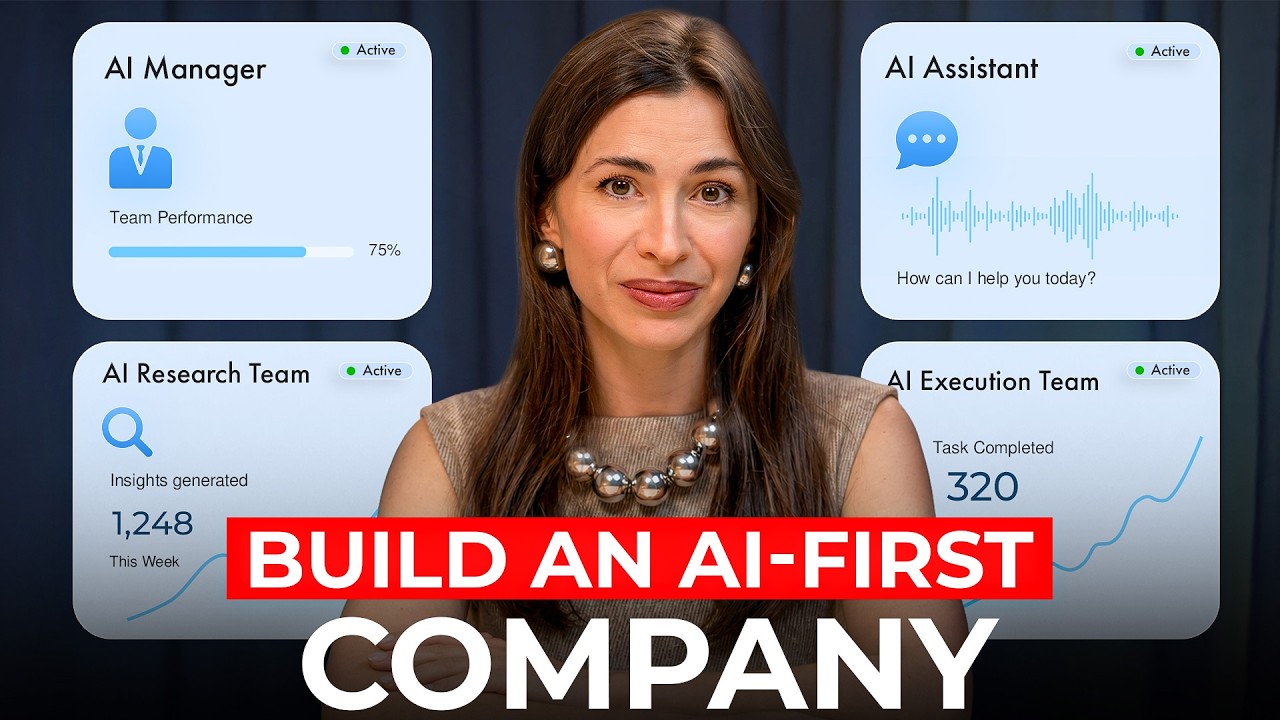
Marina Mogilko: In 5 years, the most valuable companies in the world will run on AI as a closed information loop. Meaning that all data is inside AI. All calls, emails, meetings, content performance because then AI acts faster on it and iterating and decision-making has just become much faster with AI. As a person who lives in Silicon Valley, interviews the best minds in AI, I am trying to implement all of that in the way I run my social media company. I see the system as a few different layers and we're building towards the very last layer right now, but I'm going to describe everything step by step so you can just copy the system and honestly my business has immensely sped up in the past few weeks. The change is amazing and I'm glad we're doing that. By the way, if you want to keep building these systems with me, please subscribe to this channel because I share everything I try myself, what worked, what didn't, the actual numbers, and every week I bring on founders, operators, and AI builders who are actually shipping this stuff. So you get to learn from the source. Now, let's keep going and we'll start with level number one. We're going to get your basics organized. We're going to build a queryable knowledge layer. Without it, nothing is going to work properly. And by adding more agents on top of whatever you have, you're going to just add more chaos. You need structured data layer. I'm going to mention this very basic thing. If you're still typing, please stop that because you're going to get a lot of your time back by switching to voice. I recently had a conversation with Ali Miller. She's basically helping employees at huge corporations start using AI. And one of the things that she said is that the best prompting is complaining to your AI. Imagine you have a problem and instead of prompting a solution, talk to your AI about that problem. And it's so much easier to complain when you're talking. There are various apps you can use. You can use built-in stuff. The problem is I speak Russian and English and Claude doesn't really understand my Russian. So I use Whisper Flow for that. It understands multiple languages and it has very accurate input. So all of your prompting should be done in voice. When I talk to top founders and builders, most of them talk to their computer these days instead of typing. When you're talking to your computer, you give it 10 times more context than you'd ever type. We also use Trent for anything I want to capture and process later. Maybe during podcast I'm recording this to make a LinkedIn post right after I finish recording or I'm at a conference and I press record on my Apple Watch and it records the talk and then I use Trent to process it and create a beautiful post. So once you switch to talking, let's organize your data. This part is super important because tools change all the time. And the most frustrating thing is that for example today you absolutely love Claude and you're building on top of it. You're building agents there and you're uploading all your decisions, all your information to Claude. He's smart and you're thinking, "Oh, I really want to use CodeEx for my business." Now the problem is all your data is in Claude and it's hard to migrate all the tiny decisions. So what we realize is that we need a database where all of our content is stored. We organize that database based on every social media channel that we run. We automatically pull the views, pull the performance, pull the transcripts, tone of voice, branding, everything is in that database. So if we decide to switch from Claude to CodeEx, from CodeEx to Perplexity, from Perplexity to this new Gemini model, we just connect our database. And it could be as easy as Google Drive or more complicated systems that you find online. But honestly, it's just so much easier to have your data organized by folders somewhere that it's accessible by many different agents that you're going to build later. Apart from everything that I mentioned like all the artifacts connected with your business, I think it's really important to let AI know what your tone of voice is. What's your business strategy for this year? What are your personal goals? Do you have a personal constitution like decisions that you're trying to make or are trying not to make? We also have an anti-AI file because we work with a lot of content and we don't want our content to sound like AI. So in addition to thinking about day-to-day documents that you work with, think about this overall strategy and how you can convey your thinking to your AI. Now once you're set with your level number one, your data is beautifully organized. You selected a database, maybe it's just Google Sheets and Google Drive, but it's somewhere on the cloud. It's ideal because then you can access it from all the devices. Now layer number two, you're going to build your AI on top of your knowledge base. This is where you're going to teach AI your business so deeply that it stops needing you to reexplain everything. And this is why I said data is so important. I've talked a lot on this channel about Claude and how I use Claude projects. There is something my team is testing right now that goes one level deeper. It is called Claude Codeweaver. And here's the main difference. When you use a Claude project in the browser, you upload all the files into the project. So for example, if it's your LinkedIn project, your voice profile, your dossier, your performance data, Claude reads them inside that conversation. It's powerful, but it can't actually open your files, edit your documents, run scripts, or take actions on your computer. Now Claude Codeweaver is a desktop app. We're testing it now with our YouTube team. The producers have a folder with subfolders for every part of our production process: titles, thumbnails, scripting, distribution, guest research. Inside each subfolder is an instructions file that tells the AI exactly what to do for that task, step by step, what to check, what format to deliver in. The instructions work in layers. The master folder has our overall context: voice profile, audience, business goals. Each subfolder has its own task instructions that build on top of that context. When an agent picks up a task, it reads the master file first, then the task layer, and then it executes. Whatever prompt my team types, it always passes through the same standard checks before producing output. And the feedback from the team is that results are actually far more accurate on the first try. I tested something last week that's a perfect example of what we're talking about. Hexel just released an official connector for Claude. Now we can generate videos, ads, and full creatives and save them directly in your working folder. The same connector also works with Claude Code, Open Claude, agents, and Hermes, so any agentic workflow you're already running can plug into it. This is the first time I've seen AI actually run a full production cycle on its own. The setup takes about 30 seconds. Open Claude, go to settings, click connectors, paste the Hexel URL. Done. Then Claude has hands and builds the whole creative pipeline from one prompt. Let me show you what I tested. I gave Claude the link to my last five newsletter posts and one prompt to turn the strongest hook into three video acts. Claude read all five posts, picked the one with the best hook, wrote three scripts, generated three 15-second videos through Hexel MCP, and saved them to my output folder. It did all of this end to end, including the editorial decision while I was on a call. The whole pipeline took maybe four minutes. Hexel is also the only place where Claude gets agentic access to GPT Image 2 and Sease 2.0, the models that produce at great quality. This is exactly the kind of closed loop we're talking about today. One prompt in, finished creatives out. No human in the middle. If you want to try it, the link is in the description. It takes 30 seconds to connect. Now, let's keep building. Level number three, scheduled agents. It's not like we run our whole company with agents, but they're doing something. Every Monday at 9:00 a.m., one agent runs a full trending content research scan and drops 10 video ideas for a Silicon Valley girl into a doc. It's basically ready before anyone on the team opens their laptop. At 10:00 a.m., a second agent pulls the most important AI, tech, and business news from the past 7 days into a single summary. Every day, another agent monitors whether Silicon Valley Girl got mentioned, and we're getting some good mentions in tech and business media the day before, and we get an update and we're all happy that our podcast got mentioned. A scheduled agent is a prompt that runs on a timer you set connecting to data you choose delivering a structured output to whatever you wanted. Maybe it's an email. Here's how this kind of agent changed the workflow for my guest producer. She's the one who books all the people you see in my interviews and we go after big guests and they don't have a lot of time on their calendar. My producer said that 80% of her time was going to guests who hadn't even responded yet. Out of all her outreach, only 20% were active conversations with people who were actually moving forward. So we built her a scheduled agent. Every Wednesday, it runs automatically. It reads a database with every declined guest name, date of decline, what was pitched, and what they said. For each guest, it searches the web for news from the last seven days. Any news hook we can use to come back with a fresh angle like, "Oh, I saw you publishing a book. Oh, your company just released that." So it scores each guest on eight criteria, checks whether enough time has passed since the rejection, and if a real hook exists, it surfaces a draft message she can adapt and send. She now spends 5% of her time on non-responders.
Marina Mogilko: Instead of most of her time. And that's basically 75% of her week back. Level number four, VIP code your own tools. Here's where the time savings gets serious. Louis Fonan told me on a podcast that at Duolingo, every single person has built their own dashboard. I think it's a brilliant exercise for anyone who hasn't vibe coded yet. I absolutely love that idea, but we built something a bit more relevant for a specific situation. So we built this custom dashboard that's pulling data from every social media platform connected to the podcast using Claude Code. When a video owner performs, a push notification goes out to our Telegram. This is where all of our chats are. When something works, Claude analyzes what drove it. That analysis goes to the team automatically. One of the automations that we recently added, if five shorts haven't been published in a given week, the system pushes directly to the editors. The manager doesn't have to catch it and talk to them. It's all done automatically. Another great example of things you can vibe code: check if chatbots actually recommend your business because this is where the traffic is shifting from search to these chatbots and big companies are just starting to think about it. It's a huge opportunity. But basically we started asking chatbots to recommend Silicon Valley related podcasts and our podcast was not showing up. So we changed the query. My team sent our website URL to Claude with one question: How visible are we in AI search? Claude came back with a specific list of reasons we were not appearing. The HTML was missing the parameters that led AI crawlers to index content properly. The site looked fine to a human, but to an AI reading it, it was almost invisible. That one question started a month-long rebuild. We vipcoded a dedicated podcast site with fully static episode pages, pre-rendered HTML that GPTbot, Plexitybot, and Claudebot can all read. Every page has JSON LD schema machine-readable data telling AI exactly who the guest is, what was discussed, who I am. Most podcast sites hide transcripts behind JavaScript. AI crawlers never see them. Ours they read in full. We updated our Wiki data entry in 11 languages. It previously was listing me as a vlogger YouTuber because yes, I've been there for 12 years now. I started as a blogger and a YouTuber, but now it reads podcast host, entrepreneur, angel investor. We rewrote our Apple Podcast and Spotify descriptions. Over the time we've been working on this, our AI search visibility doubled. We tracked all of this through an app called Peak AI. We're happy with it so far. I genuinely recommend you start doing this now. It's a long-term investment, but try and send your URL to any chatbot that you're using. Ask how visible you are in AI search and you'll get a very specific list of fixes.
Level number five: this is where we close the loop and max out our credits. As I mentioned, we're still building towards an AI-first company. It doesn't mean we're replacing humans. It just means that AI can close loops on whatever decisions we're making. First of all, we need to start documenting my own decisions as training data. Almost no one does this, but it is a real game-changer. So basically every decision I make about content, every piece of feedback I give to my editors, every strategy call with my team, some of it disappears, especially if it's over Telegram. And as I mentioned, our chats are in Telegram. I do a lot of voice messages. My AI doesn't read any of that. So the thing that we're thinking about right now is where do we move all of our conversations so that AI can actually track them and build a system where every decision that gets made in a conversation gets captured and structured. For calls, it's super easy. We're already using Granola and we have subfolders, et cetera. But there has to be something inside our chats and it's another queryable layer. Also, right now my team gets their weekly priorities from me via message. I set them KPIs, but there is no system that actually tracks how far they are with their KPIs. We have a dashboard, but a human has to look at the dashboard, go to my LinkedIn manager and say, "Hey, we're behind. What are you doing?" These two pieces of content are performing. Maybe we should double down on this type of content. This has to be AI. It doesn't have to be an extra manager. I want a system where the data tells people exactly what to prioritize. If a reel that is under 45 seconds outperformed everything last week, my Instagram editor should get that as a brief automatically and should be doubling down on those 45-second reels, not after I read the report and forward it. And another thing that I'm ingesting in my brain right now: I've been talking to a lot of OpenAI people and something that I should be comfortable with is high credit usage. If it means a leaner, faster team, instead of hiring more coordinators, I have to be investing in automating the back end of my business. The parts that handle sponsorships, content syndication, community management, because there are a lot of moving parts. My co-founder spends a lot of time managing all of it. I spend a lot of my mental energy on that. All of us have to stay at the forefront. We're all AI founders. Regardless of whether we're creators or we're just doing part of our job, I want you to see yourself as an AI founder. You should be the one breaking your own priors about what's possible. Because by using vibe coding or automation agents yourself, you set the pace for how your team adopts these tools. When I was talking to someone at Codex yesterday, he told me he used something like a billion tokens in a single week when they were rolling out the Codex app. But I'm thinking, my token usage is nowhere compared to that. And that got me to thinking about maybe when somebody asks me to hire someone, we talk about more tools that we can build instead. And credit usage is a metric that reflects the effort. So here is what I want you to take from this video. I put together a free 30-day implementation plan for all the things that we discussed in this podcast. Exactly what we did, what tools we used, and it's waiting for you in my newsletter, completely free. The newsletter is called Future Proof. Every week I share the AI tools and workflows I'm actually using in my business, the experiments that worked and the ones that did not, plus backstage from the podcast shoots. The link is in the description. Subscribe and you'll get that 30-day plan for free. I really hope this was useful. If it was, please drop me a comment. It's so important to hear your feedback. AI is generally amplifying us and our businesses when we hand off the parts that don't need a human and focus on the parts that actually do need us. See you soon in the next video and bye-bye.